
Download Sqriblr – AI‑Powered Image Integration for ChatGPT
Overview
In today’s hyper‑competitive content landscape, creators are forced to juggle two critical tasks simultaneously: writing compelling copy and finding the perfect visual to accompany that copy. The latter often turns into a time‑draining scavenger hunt through stock‑photo libraries, royalty‑free sites, and endless browser tabs. Sqriblr was built to eliminate that bottleneck.
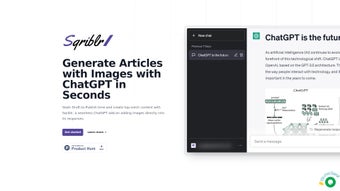
It is an AI‑driven browser extension that lives inside the ChatGPT interface and automatically extracts the most relevant keywords from your generated text. Once the keywords are identified, the engine queries a curated, royalty‑free image repository, ranks the results by relevance and quality, and presents you with a selection of ready‑to‑insert visuals. The entire workflow happens in real time, allowing you to stay focused on storytelling while Sqriblr handles the visual polish.
Beyond speed, Sqriblr adds measurable SEO value. Every image is automatically assigned an optimized alt‑text string, a descriptive file name, and appropriate schema markup, all of which improve image‑search visibility and overall page relevance. The tool also respects brand consistency by offering style filters such as minimalist, vibrant, or corporate, ensuring that the visuals align with your visual identity without manual tweaking. Two subscription tiers – Scribbler and Novelist – provide flexible pricing for freelancers, small agencies, and larger enterprises. Users report a 30‑40 % reduction in content‑creation time and a noticeable lift in organic traffic after adopting Sqriblr.
The extension requires no additional downloads, runs entirely in the browser, and integrates seamlessly with the official ChatGPT UI. Whether you are drafting a blog post, a newsletter, a product description, or a landing page, Sqriblr offers a “plug‑and‑play” experience that feels native to the ChatGPT environment. Its secure cloud‑sync feature also stores your image choices, enabling easy reuse across multiple projects and team members. In short, Sqriblr is the missing link between AI‑generated text and the visual assets that make that text truly shine in the eyes of both readers and search engines.
Features, Benefits & Pros / Cons
- AI‑Driven Keyword Extraction: Real‑time analysis of ChatGPT output to pinpoint nouns, adjectives, and contextual cues for image matching.
- Curated Royalty‑Free Library: Access to thousands of high‑resolution photos, illustrations, and vectors sourced from trusted providers.
- Automatic SEO‑Optimized Alt‑Text: Each image receives a concise, keyword‑rich alt attribute and a descriptive file name.
- One‑Click Insertion: A dedicated “Sqriblr” button in the ChatGPT toolbar inserts the chosen visual instantly.
- Customizable Style Filters: Choose from minimalist, vibrant, corporate, or custom palettes to match brand guidelines.
- Secure Cloud Sync & History: All selections are saved securely, allowing you to reuse images across projects and collaborate with teammates.
- Regular Database Updates: Weekly expansions keep the image pool fresh and relevant to emerging trends.
- Two Subscription Plans: Scribbler (basic quota, ideal for solo creators) and Novelist (unlimited images, priority support, team features).
Pros
- Significant time savings – up to 40 % less time spent on image research.
- Built‑in SEO enhancements improve organic reach and accessibility.
- Native integration feels like a natural part of ChatGPT, no steep learning curve.
- Flexible pricing accommodates freelancers to large agencies.
- High‑quality, royalty‑free visuals eliminate the need for separate stock‑photo subscriptions.
Cons
- Requires an active internet connection; offline use is not supported.
- Limited in‑extension image editing (cropping, filters) – external editors may be needed for fine‑tuning.
- Advanced style filters and unlimited quota are locked behind the higher‑priced Novelist tier.
- Reliance on the curated library means niche or highly specific images may not be available.
- Initial API‑key setup can be confusing for users unfamiliar with extension permissions.
The combination of these features translates into concrete business benefits. Marketers experience faster turnaround times, allowing them to publish more content and meet tight campaign deadlines. SEO specialists appreciate the automated alt‑text generation, which contributes to higher image‑search rankings and better overall page authority. Designers can focus on high‑level creative direction rather than repetitive image sourcing, while developers enjoy the lightweight, browser‑based architecture that avoids additional software overhead. In practice, Sqriblr acts as a silent co‑author, handling the visual narrative while you concentrate on the written story.
Installation, Setup & Usage Instructions
Step‑by‑Step Installation
Getting Sqriblr up and running is intentionally frictionless. After you subscribe, an automated email delivers a unique API key. Follow these steps to connect the extension to your ChatGPT workspace:
- Navigate to the official Sqriblr portal (www.sqriblr.com) and log in using the credentials sent to your inbox.
- Click the Integrations tab and select “ChatGPT”.
- Copy the generated API key – it will be used to authenticate the browser extension.
- Open ChatGPT in your preferred browser, locate the “Extensions” icon (usually a puzzle piece), and choose “Add New Extension”.
- Paste the API key into the prompt, click “Connect”, and grant the minimal permissions requested (access to read/write within the ChatGPT session).
- Once the handshake completes, a new “Sqriblr” button appears on the ChatGPT toolbar, ready for immediate use.
The entire process takes under five minutes, and because the extension runs in the browser, there are no additional installers, system services, or background daemons to manage. Your credentials are stored in an encrypted browser cache, and you can revoke access at any time from the Sqriblr dashboard.
Compatibility & System Requirements
Sqriblr is built as a cloud‑based browser extension, making it compatible with any operating system that supports modern browsers. The official list includes:
- Windows 10 & 11 – Chrome, Edge, Firefox
- macOS 11+ – Safari, Chrome, Firefox
- Linux (Ubuntu, Fedora, Debian, etc.) – Chrome, Firefox
- Android 8.0+ – Chrome, Edge mobile
- iOS 13+ – Safari, Chrome mobile
Security is a top priority. All communication between ChatGPT and Sqriblr’s servers is encrypted with TLS 1.3. The API key never leaves your local browser environment in plain text; it is stored only in an encrypted session store that is cleared when you sign out or clear your browser data. For enterprises, Sqriblr also offers single‑sign‑on (SSO) integration via SAML or OAuth 2.0, allowing IT admins to enforce centralized access controls.
Everyday Usage Tips
After installation, using Sqriblr is as simple as typing your content in ChatGPT, then clicking the newly added “Sqriblr” button. The extension will analyze the last 500 words (configurable) and present three image suggestions. Hover over each thumbnail to see a preview of the generated alt‑text and file name.
Click “Insert” to embed the image directly into your ChatGPT output. You can also access the Settings panel to adjust style filters, set a default image quota, or connect external storage services (Google Drive, Dropbox) for custom image uploads. These controls give you granular control without sacrificing the tool’s core promise of speed and automation.
Frequently Asked Questions
How does Sqriblr select the most appropriate images?
The AI engine parses your ChatGPT output, identifies key nouns, adjectives, and contextual phrases, then queries a curated royalty‑free database. Results are ranked by relevance, resolution, and licensing status, and the top three are displayed for quick insertion.
Can I use my own image library with Sqriblr?
Yes. In the Settings menu you can add custom image URLs or link external storage providers such as Google Drive, OneDrive, or Dropbox. Those images are then incorporated into the suggestion pool alongside the native library.
Is there a free trial available?
Sqriblr offers a 7‑day risk‑free trial for both Scribbler and Novelist plans. No credit‑card information is required, and you can cancel anytime before the trial ends without being charged.
How does the tool improve my SEO performance?
Each inserted image receives an automatically generated alt‑text string based on surrounding copy, a SEO‑friendly file name, and proper schema markup. These elements help search engines understand the image context, leading to higher rankings in both organic and image search results.
What support options are provided for subscribers?
Scribbler users receive email support with a guaranteed response within 48 hours. Novelist subscribers enjoy priority live chat, quarterly webinars, and a dedicated account manager who can assist with onboarding, workflow optimization, and custom integration requests.
Can I use Sqriblr on multiple devices simultaneously?
Yes. Because the extension authenticates via a cloud‑based API key, you can log in from any browser on any device—desktop, laptop, tablet, or smartphone—as long as you have an internet connection.
Conclusion – Boost Your Content Game Today
If you’ve ever felt the frustration of toggling between a writing window and a stock‑photo site, Sqriblr offers a clean, AI‑powered solution that fits naturally into the ChatGPT workflow. By automating image discovery, providing SEO‑ready alt text, and delivering brand‑consistent visuals with a single click, the extension frees you to focus on the narrative that matters most. The transparent pricing model, risk‑free trial, and broad compatibility across Windows, macOS, Linux, Android, and iOS make adoption effortless for individuals and teams alike.
Ready to shave hours off your content production schedule and watch your engagement metrics climb? Download Sqriblr now and experience the future of AI‑enhanced storytelling. Your next viral post is just a click away.



.png)



